
Key takeaways
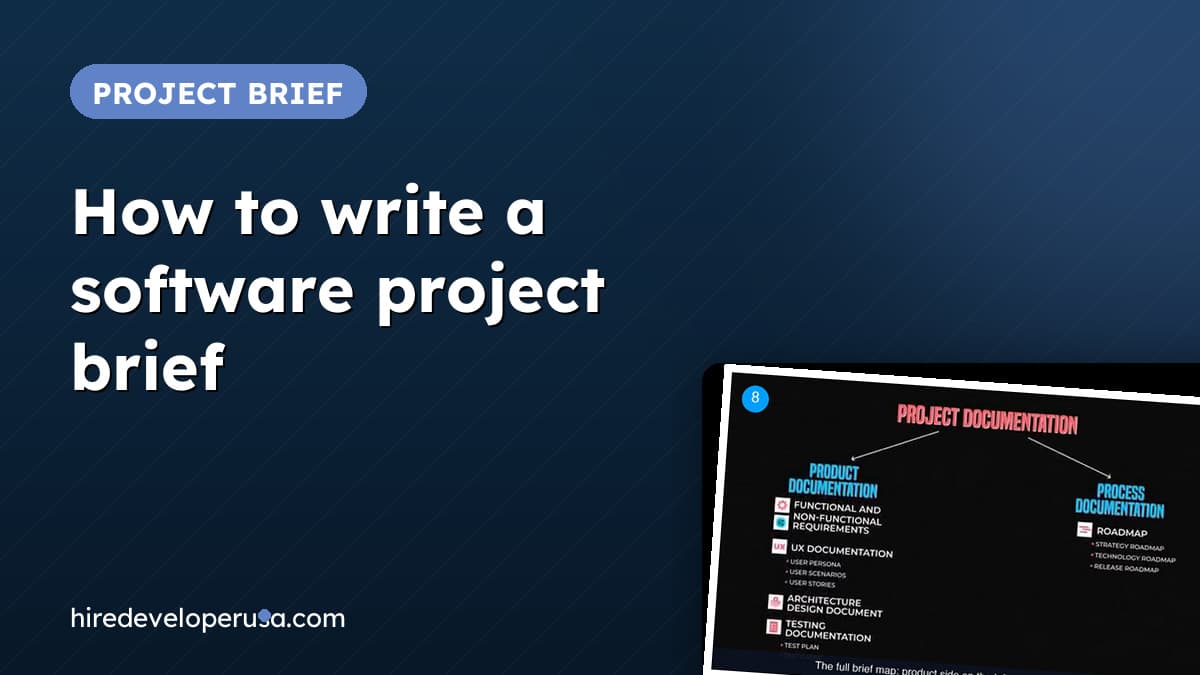
- →A brief has two halves: product documentation answers what the product should be, process documentation answers how it gets built.
- →Write requirements as one-line statements, and add a non-functional line (load, security, growth) for every capability.
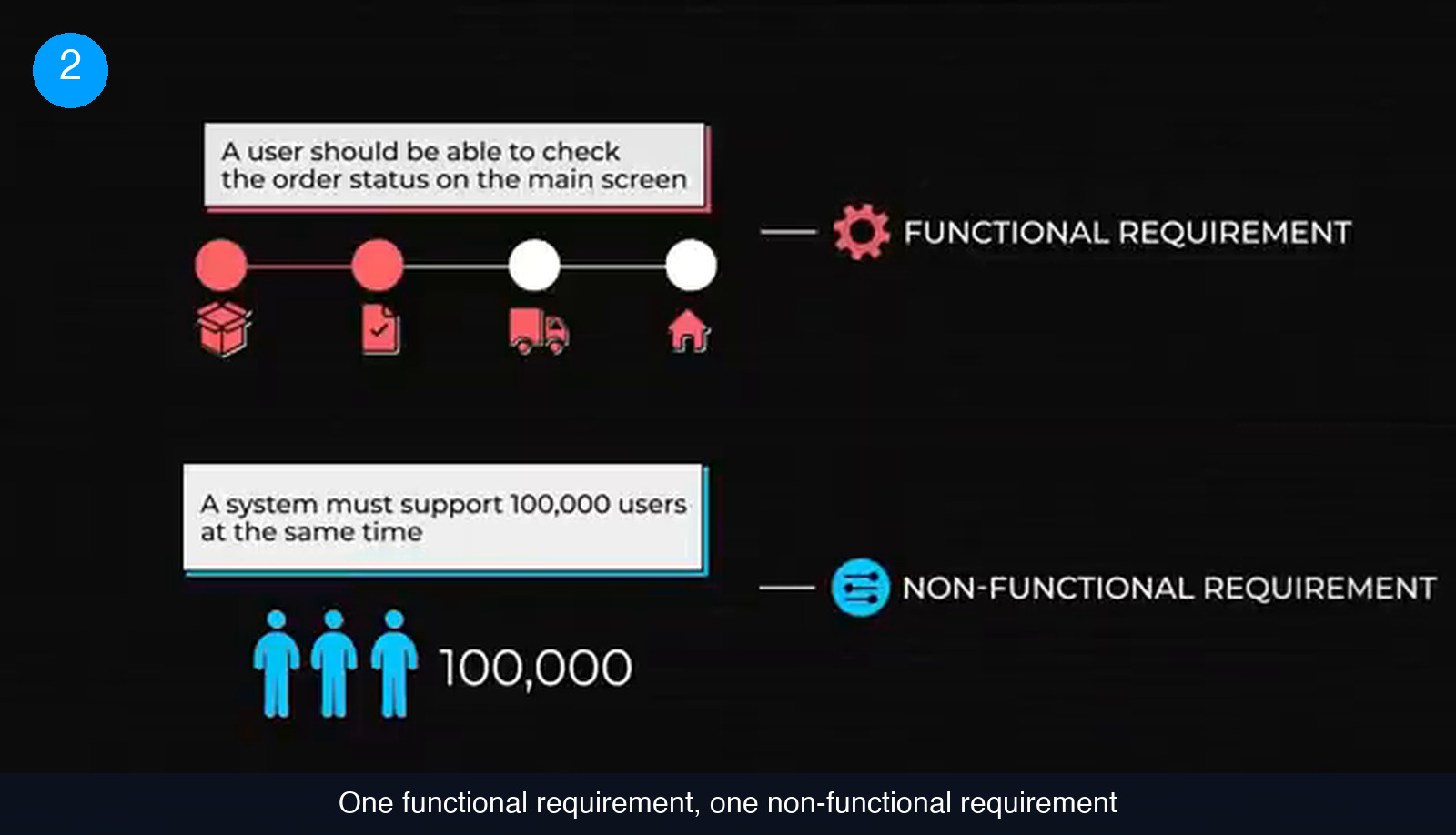
- →Features come from user research: personas, scenarios and stories first, then prototypes, wireframes and journey maps.
- →Ask for a schematic architecture sketch and a test plan with names and time frames before you accept an estimate.
- →Fix metrics and coding or UX standards before the first sprint, not halfway through.
Most software projects that go sideways with an outside team do not go sideways in the code. They go sideways in the week before the code, when nobody wrote down what the product was supposed to do, who it was for, or how anyone would recognise the finished version. The developer starts building the project that exists in their head, you review the one that exists in yours, and the difference between the two gets billed by the hour.
A brief closes that gap. It is not a legal document and it does not have to be long, but it does have to answer two separate questions in writing: what the product should be, and how it is going to get built. This guide covers the six pieces that make a brief usable by an engineer who has never met you, in the order it makes sense to write them, plus the mistakes that turn a brief into shelfware.
Step 1: split the brief into “what” and “how”
Everything you are about to write belongs in one of two piles, and mixing them is the fastest way to produce a document nobody can act on. Product documentation answers what the product should be like. Process documentation answers how the team is going to build it. Features and quality expectations sit on the first side; schedules, metrics and working standards sit on the second.
The split matters because the two halves have different owners and different lifespans. The product half is argued over with stakeholders and users. The process half is negotiated with whoever is doing the work, and it gets rewritten every time the plan moves.
- Open the document with two headings: what the product should be like, and how it will be built.
- Dump everything you already know under one of them — emails, call notes, sketches, half-formed constraints.
- Mark anything you cannot place. Items that fit neither heading are usually opinions rather than requirements, and they are worth a conversation before they go in.
- Leave the open questions visible in the document. A brief that admits what is undecided is more useful than one that quietly guesses.
Step 2: write requirements a developer can act on
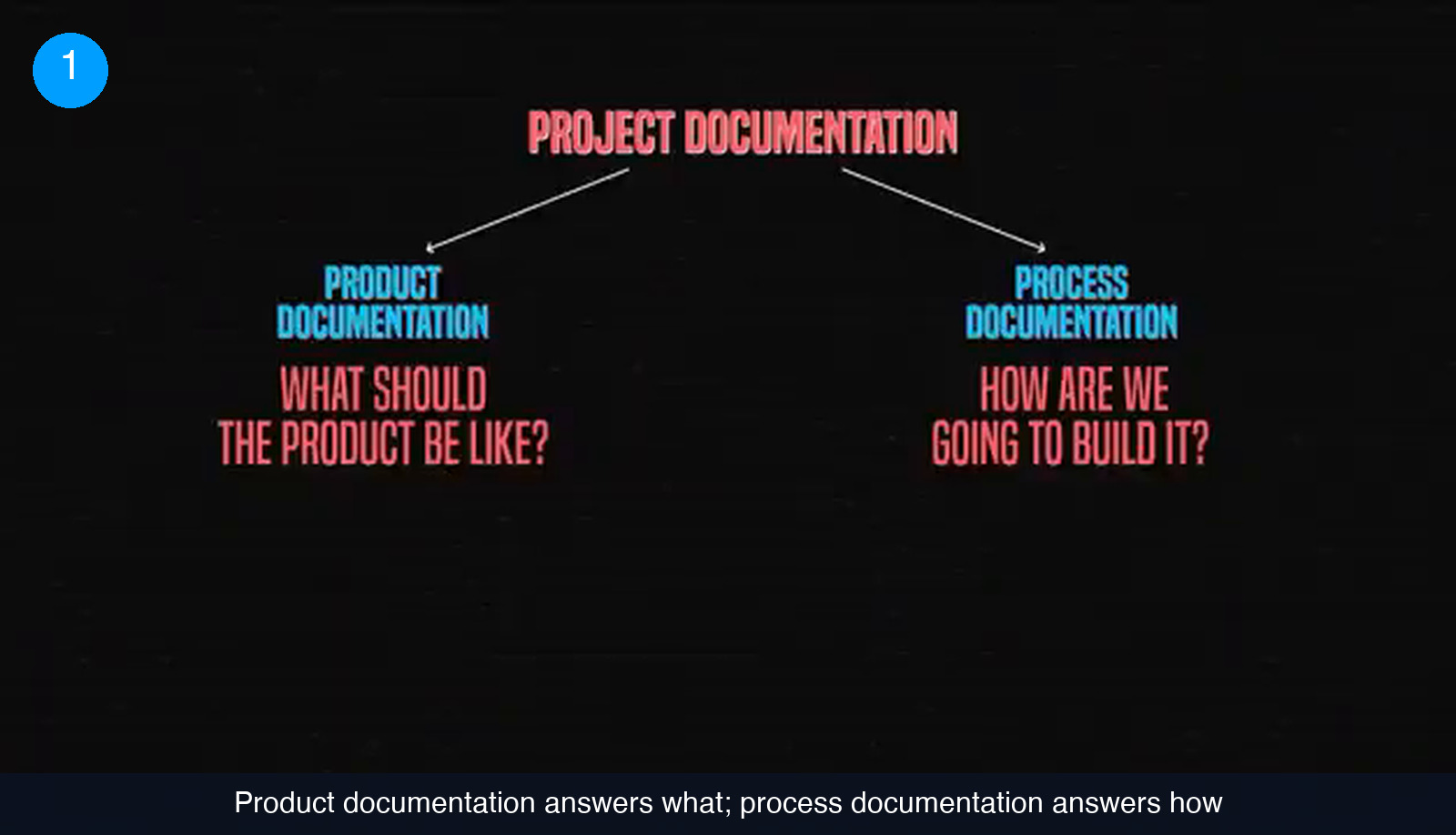
A product is a system of features that helps users reach a goal. Those features are the functional requirements. The properties the system itself has to hold — speed, security, how it grows — are the non-functional requirements. Both come from stakeholders and users, and both need to be written as short statements rather than paragraphs of prose.
Two examples make the difference obvious. “A user should be able to check the order status on the main screen” describes what someone can do, so it is functional. “The system must support 100,000 users at the same time” describes what the system has to be, so it is non-functional. The second kind is the one founders forget, and it is the kind that quietly decides your architecture and your bill.
- Write each capability as one sentence starting with the actor: a user, an admin, a support agent.
- For every capability, ask what the system has to guarantee while doing it — response time, concurrent load, data protection, growth headroom — and write that as a separate line.
- Group the statements into a product requirements document. It is normally the first artefact created, and everything downstream is checked against it.
- Put a number on anything measurable. “Fast” is not reviewable; a concurrent-user figure is.
Step 3: back every feature with user evidence
Requirements are largely dictated by users, which means they are the output of research rather than of a brainstorm. That research produces more than a feature list. It produces the material that keeps a remote team pointed at real people instead of at your preferences.
Three artefacts do most of the work. A user persona is a detailed description of a typical user, so the team can picture what that person wants, needs and does. User scenarios break a persona’s behaviour down into a task being accomplished, often drawn as a strip of panels, which exposes the thinking and motivation behind each step. User stories break the scenarios down further into something that reads almost like a feature: “As a busy manager, I want to receive automated reports so that I am always up to date with metrics”, or “As a parent, I want to control what content my kids are watching to keep them safe”.
Those documents then feed the deliverables a designer hands over: prototypes, wireframes and user journey maps, which describe the experience you expect after several rounds of testing rather than on day one.
Step 4: describe the technical shape and the test plan
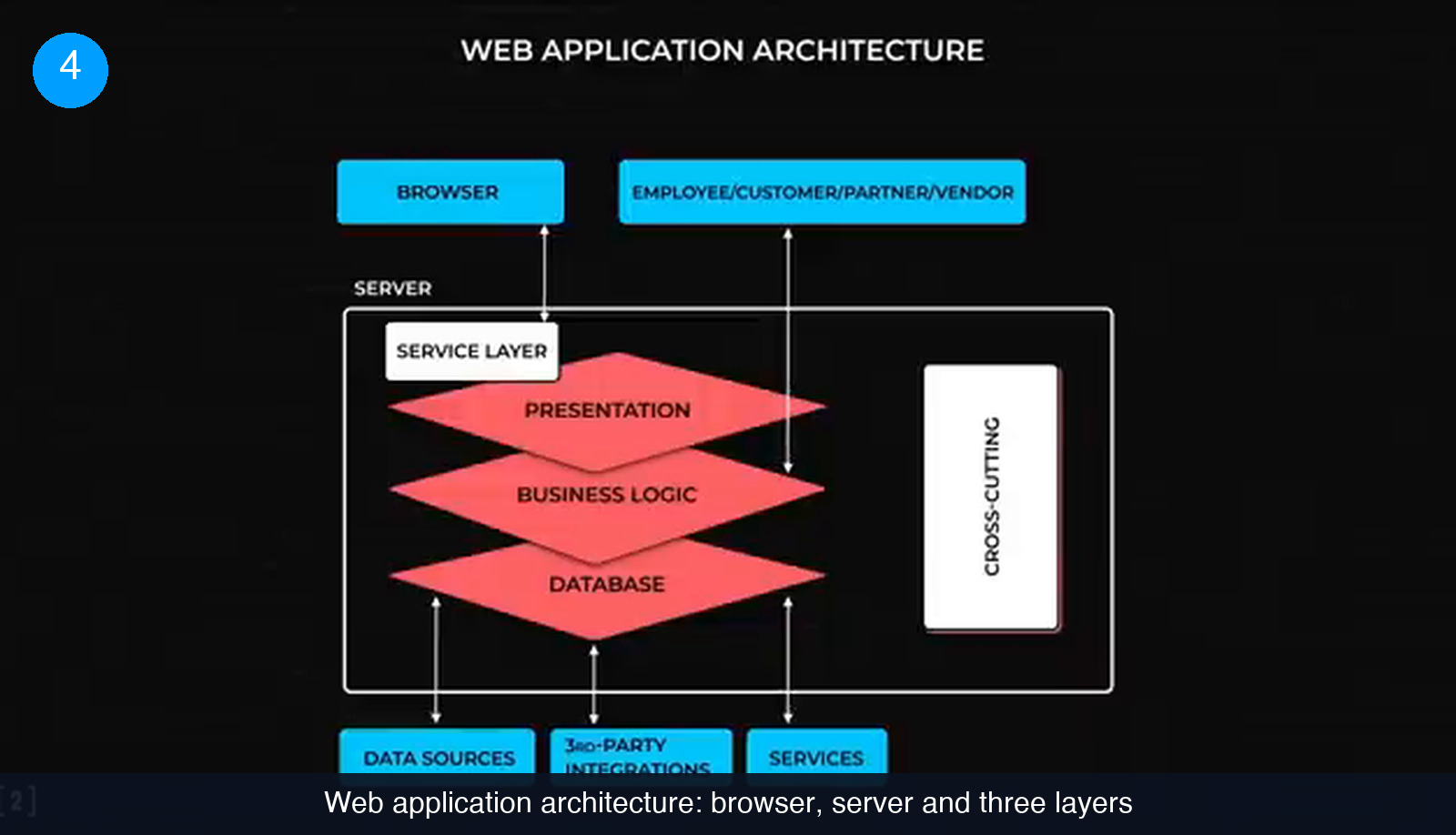
One of the first technical decisions on any project is the architecture. Most applications run on the same three layers, but plenty of products need something custom, and those choices belong in an architecture design document written by whoever holds that role on your side. The drawing stays schematic on purpose: it tells the team which components exist and which design principles apply, without dictating implementation detail.
Testing documentation is the technical half most briefs skip. In an agile setup, testing runs alongside engineering rather than after it, and with test-driven development the test cases get written from the requirements before serious coding starts. A test case is a step-by-step description of what gets tested and how. All the test cases together form the test plan, which adds time frames and assigns roles to QA engineers and developers.
- Ask for a one-page architecture sketch before the estimate, not after it. It is the cheapest way to see whether your non-functional requirements were taken seriously.
- State who writes test cases and who runs them. If nobody is named, it is not in the budget.
- Agree that test cases are derived from the requirements document, so a change of scope visibly changes the test plan too.
Step 5: turn the scope into a schedule
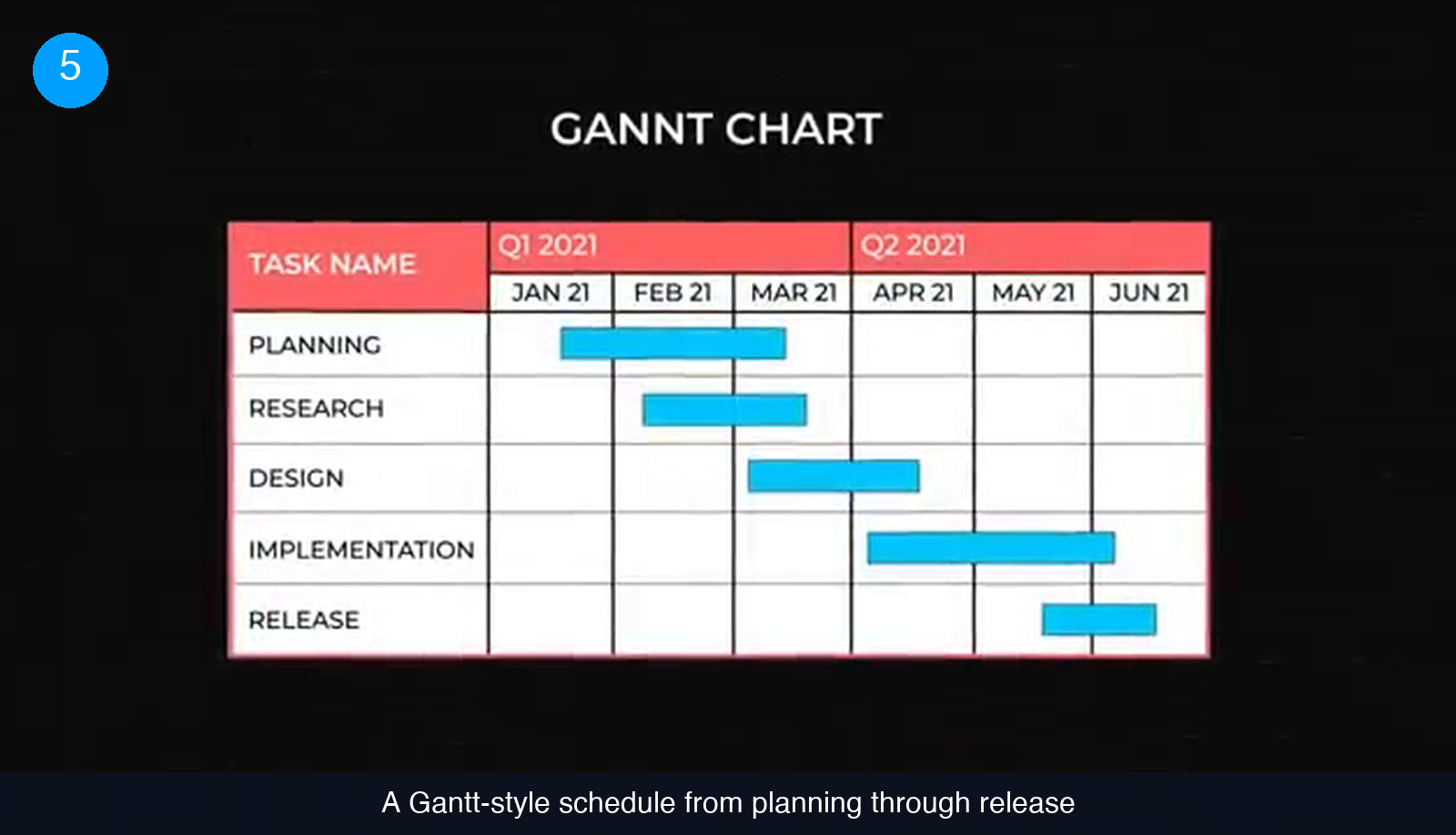
The process half of the brief starts with dates. The bar chart most roadmaps are still based on was designed by Henry Gantt, a management consultant, more than a century ago, and it survives because it does one thing well: it lists objectives, ranks them and attaches deadlines that everyone can see at once.
Three roadmaps do three different jobs, and it is worth writing all three rather than merging them:
- Strategy roadmap — high-level goals with rough delivery estimates. It should stay coarse enough to fit on one screen, because its whole value is showing the project as a whole.
- Technology roadmap — the smallest deliverables with their due dates. This is the low-level view the team works from.
- Release roadmap — strict deadlines for when each part starts functioning and which features go live when.
If you are hiring for the build, this is also where budget meets calendar. Our breakdown of what it costs to hire software developers is easier to apply once the deliverables have dates against them, and a dedicated project manager is usually the person who keeps these three views in sync.
Step 6: agree on metrics and standards before day one
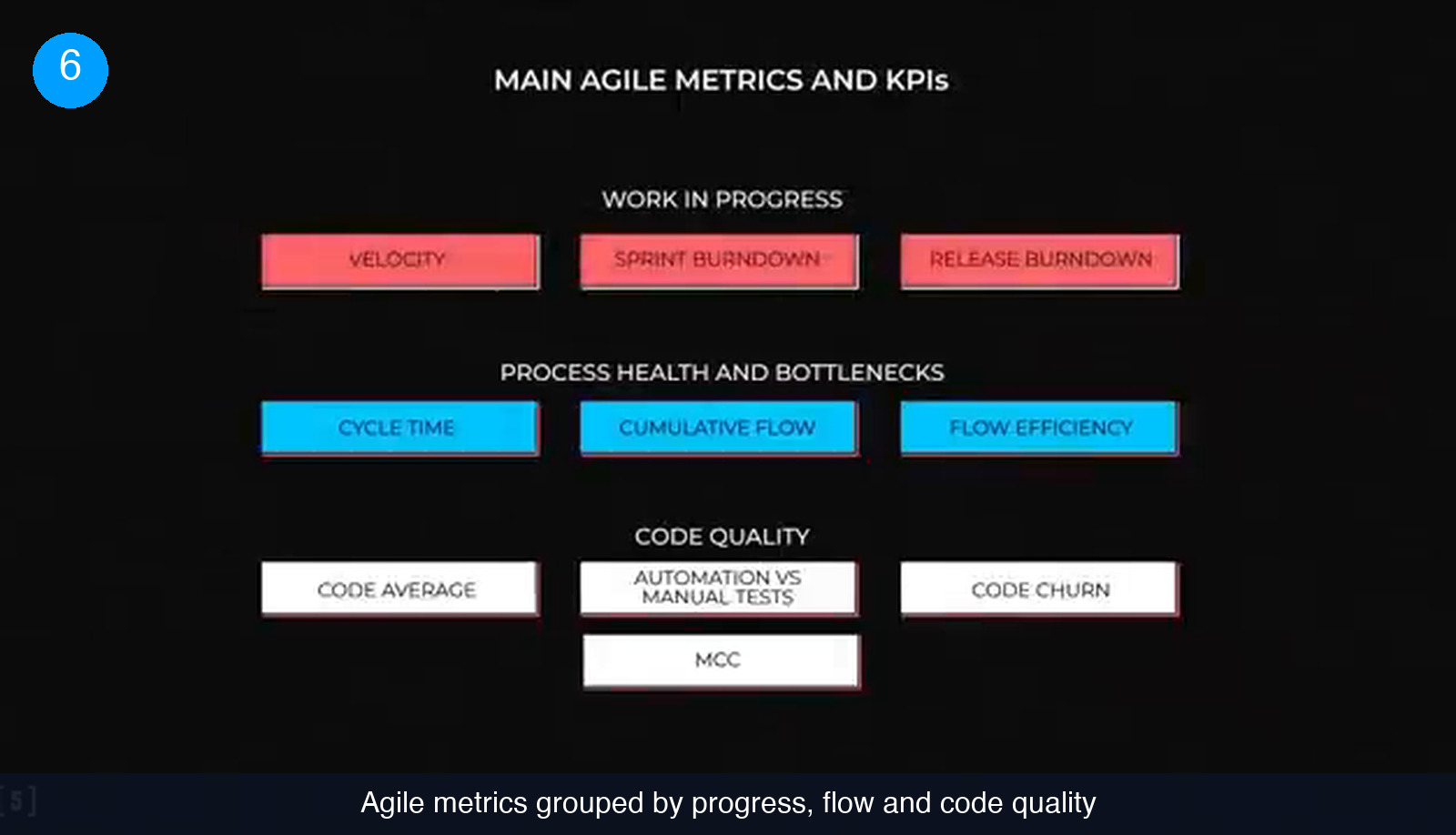
The last part of the brief is how you will know the work is going well while it is still going on. Project metrics exist to give regular feedback on how fast and how effectively the team is working, and to surface bottlenecks and code-quality problems before they spread far enough to stall the project. Pick them before the first sprint, because a metric introduced halfway through mostly measures the argument that produced it.
Standards and guidelines cover the other half. Written conventions for code and for UX let anyone produce consistent work regardless of when they joined the project or how experienced they are. On a remote team with rotating contractors, that document is often what keeps the codebase legible after the third handover.
Common mistakes worth avoiding
Most bad briefs fail in one of a handful of predictable ways.
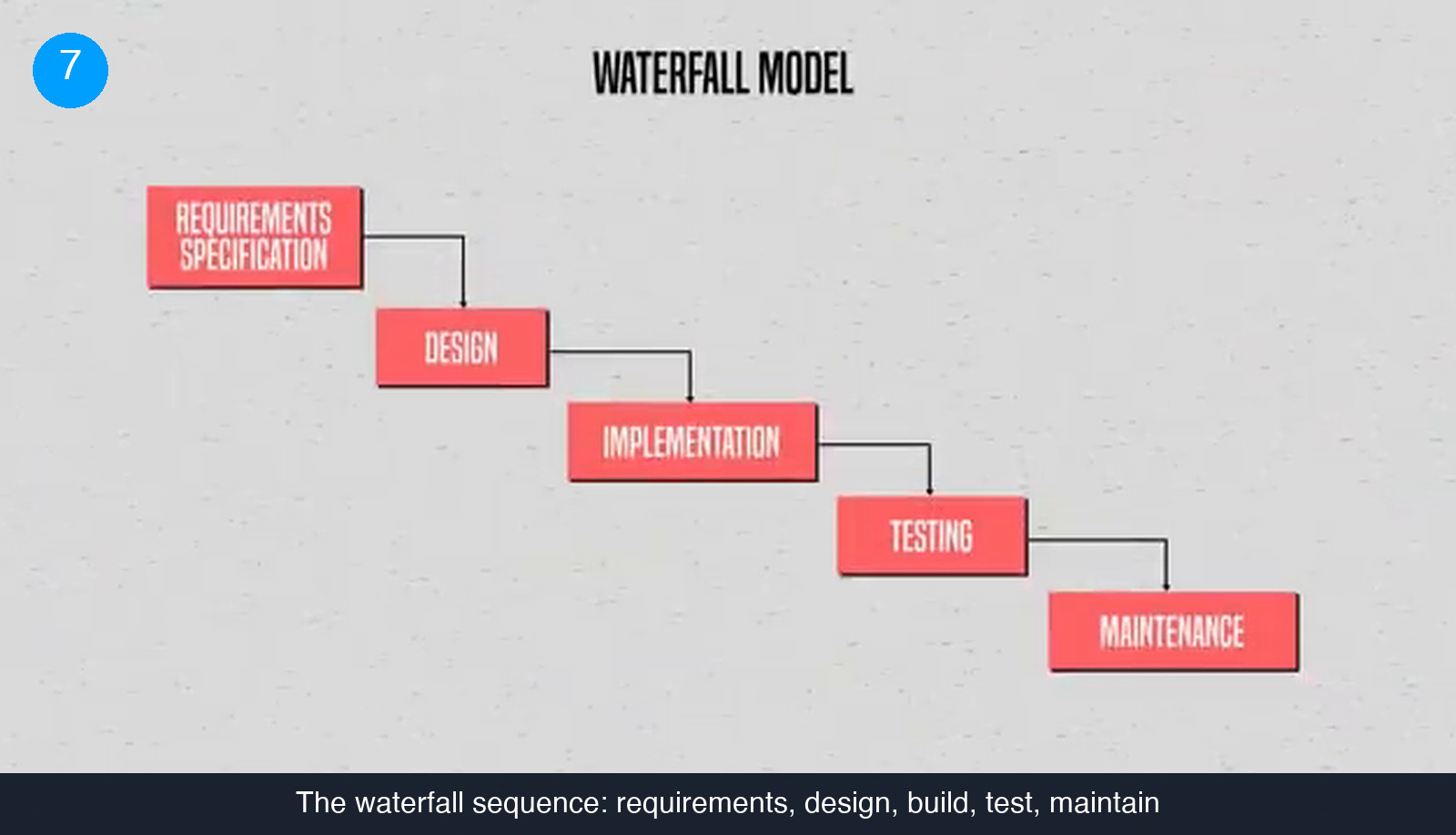
- Writing the brief as a one-shot specification. The waterfall sequence — requirements, design, implementation, testing, maintenance, each finished before the next begins — came from construction, where you pour the foundation once. Applied to software it produced missed deadlines, teams that kept growing and thousands of lines rewritten more than once.
- Starting features before any user research. User testing continues throughout a project, but the first round has to come before the build. This is the one place where over-preparing saves both time and money.
- Leaving out the non-functional requirements. Load, security and growth expectations change the architecture. Discovering them after the architecture exists means paying for it twice.
- Over-detailing the strategy roadmap. Once it no longer fits on one screen it has stopped being a strategy roadmap and become a second technology roadmap.
- Keeping decisions in chat. Written documentation is still the best communication tool for a project with more than a couple of people. It is how new developers learn the details, how the existing ones remember them, and what settles a disagreement without anyone re-running research that has already been done.
Check what you would put in the brief
6 questions on the brief you just read. Pick one answer per question.
1. Your brief says the system must stay usable with 100,000 people signed in at once. What kind of requirement is that?
2. Which artefact is written from a persona's point of view, in the form “As a … I want … so that …”?
3. What is the strategy roadmap supposed to fit on?
4. In an agile project, when does testing happen?
5. What does a test plan add to the test cases it contains?
6. Which mistake is worth preventing rather than iterating through?
Score: 0 / 6
What to do with the brief once it is written
A brief is finished when someone who has never spoken to you can read it and describe what they would build, in what order, and how they would prove it works. Everything else — estimates, contracts, sprint plans — is downstream of that. Keep it in one place, keep the open questions visible, and update it when the plan moves, because a document the team stops trusting is worse than no document at all.
If the next step is finding the people to build it, see how matching works here: you send the brief, we shortlist vetted US-based and remote engineers against it, and you interview before committing to anything.
Frequently asked questions
How long should a software project brief be?
Long enough that a developer can tell you what they would build without asking a question first. You do not have to be certain about every task, but you do need to state its scope, what it affects and what complications could arise. Anything still undecided belongs in the brief as an open question rather than being left out.
Do I need all of this before writing any code?
Not all of it, but the user research does come first. Testing and iteration continue throughout the project, so the roadmaps and even the requirements will be rewritten as you learn. Starting to build features before any research has been done is the one case where preparing more up front saves both time and money.
Who writes the architecture part if I am not technical?
A software architect or the lead engineer on the build. Their output is deliberately schematic: it shows which components exist and which design principles apply, without going into implementation detail. Your job is to supply the requirements and constraints the architecture has to satisfy, especially the non-functional ones.
Does a written brief stop the team changing its mind later?
No. Project documentation is expected to change through as many iterations as the project needs. What the brief gives you is a source of truth: it is how a new developer learns the details, how the existing team remembers decisions, and what settles a disagreement without redoing research that has already been done.
Hire vetted talent